Demo store by nShift. Orders and payments are simulated.Demo store by nShift. Weather Warriors is a fictional retailer and every order and payment is simulated.What this demo showsTalk to nShift
Demo guide
The nShift Suite, in Action
Weather Warriors is a demo storefront that showcases the nShift delivery-experience suite end to end — from a delivery promise on the product page, through checkout delivery options, to shipping labels, tracking and returns after the order is placed. Here’s every product and feature it demonstrates.
nShift Checkout
Delivery Options
The core delivery-options experience, shown in several modes so the same nShift data can be rendered however a merchant prefers.
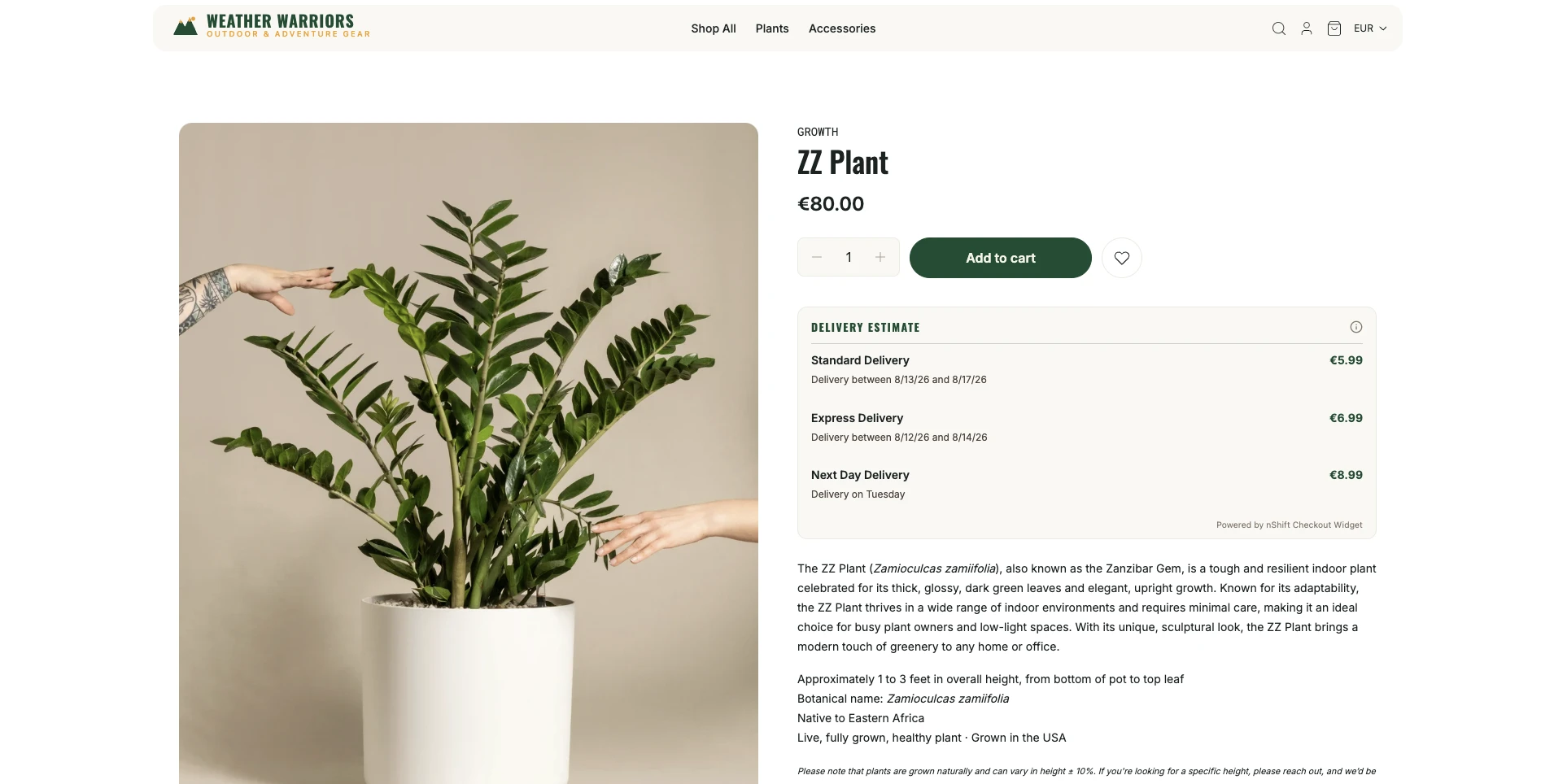
Product-Page Delivery Widget
A delivery estimate up front, on the product detail page. It’s the same nShift Checkout widget in product mode, rendered with custom CSS overrides so it blends into the storefront — the data and logic come straight from nShift. The receiver country is inferred from the browser locale, and the session is kept out of checkout conversion metrics via a separate connection.
A delivery promise on the product detail page, before checkout — the receiver country is inferred from the browser locale.
Checkout Delivery Widget
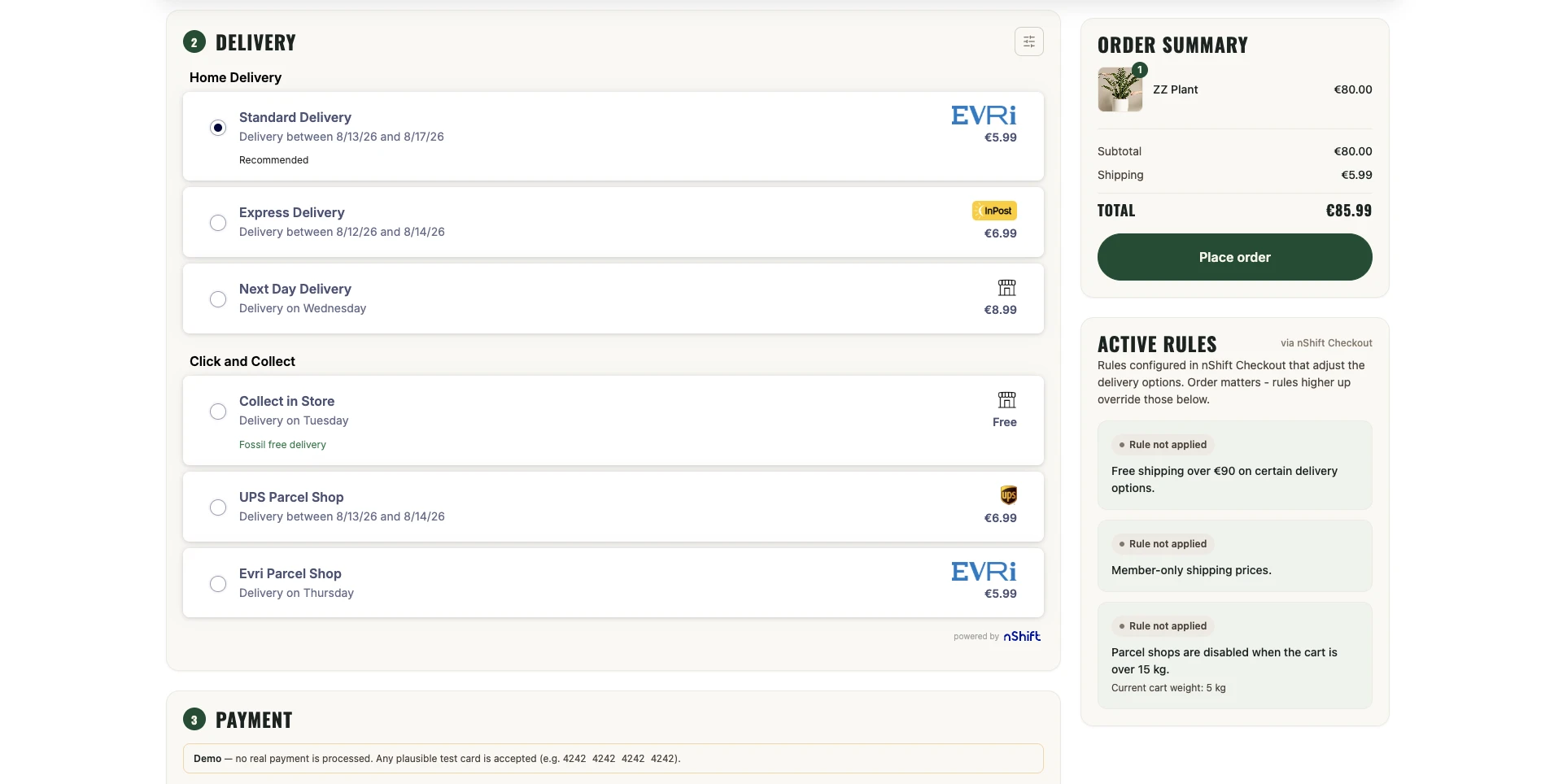
The official nShift widget mounted at checkout, rendering live delivery options for the shopper’s address.
The embedded nShift Checkout widget: carriers, home & pickup delivery, delivery times and the pickup-point map — all configurable.
Custom Widget Styling
A toggle switches the widget between nShift’s default look and the store’s own brand styling, so merchants can see the delivery experience blend seamlessly into their checkout without changing any of the underlying nShift behaviour.
The same widget restyled to match the storefront — fonts, colours and controls aligned to the brand while nShift still drives the delivery logic.
Pickup-Point Map
Shoppers choosing a pickup option can browse nearby collection points on a map.
Pickup points plotted on an interactive map, with opening hours, so shoppers can pick a convenient collection point.
Headless Delivery
For merchants who want to own the presentation, the delivery options are fetched from the nShift API and rendered with the store’s components.
The same nShift options fetched server-side and rendered by the store’s own UI, for full control of the markup.
Combined Pickup-Point Map
In headless mode, the “Combine PUDOs” option merges the pickup points from every delivery option onto one map, so shoppers compare all nearby collection points in a single view instead of carrier by carrier.
Every carrier’s pickup points merged onto a single map, each pin badged with its carrier logo.
Split Shipment (Multi-Parcel)
Demonstrates multi-warehouse / multi-box scenarios: the cart is split into 2 or 3 parcels and options are fetched per parcel. It needs more than one item in the cart to split (and at least three for a 3-way split).
A cart split into multiple parcels, each with its own independent set of nShift delivery options.
Business Rules
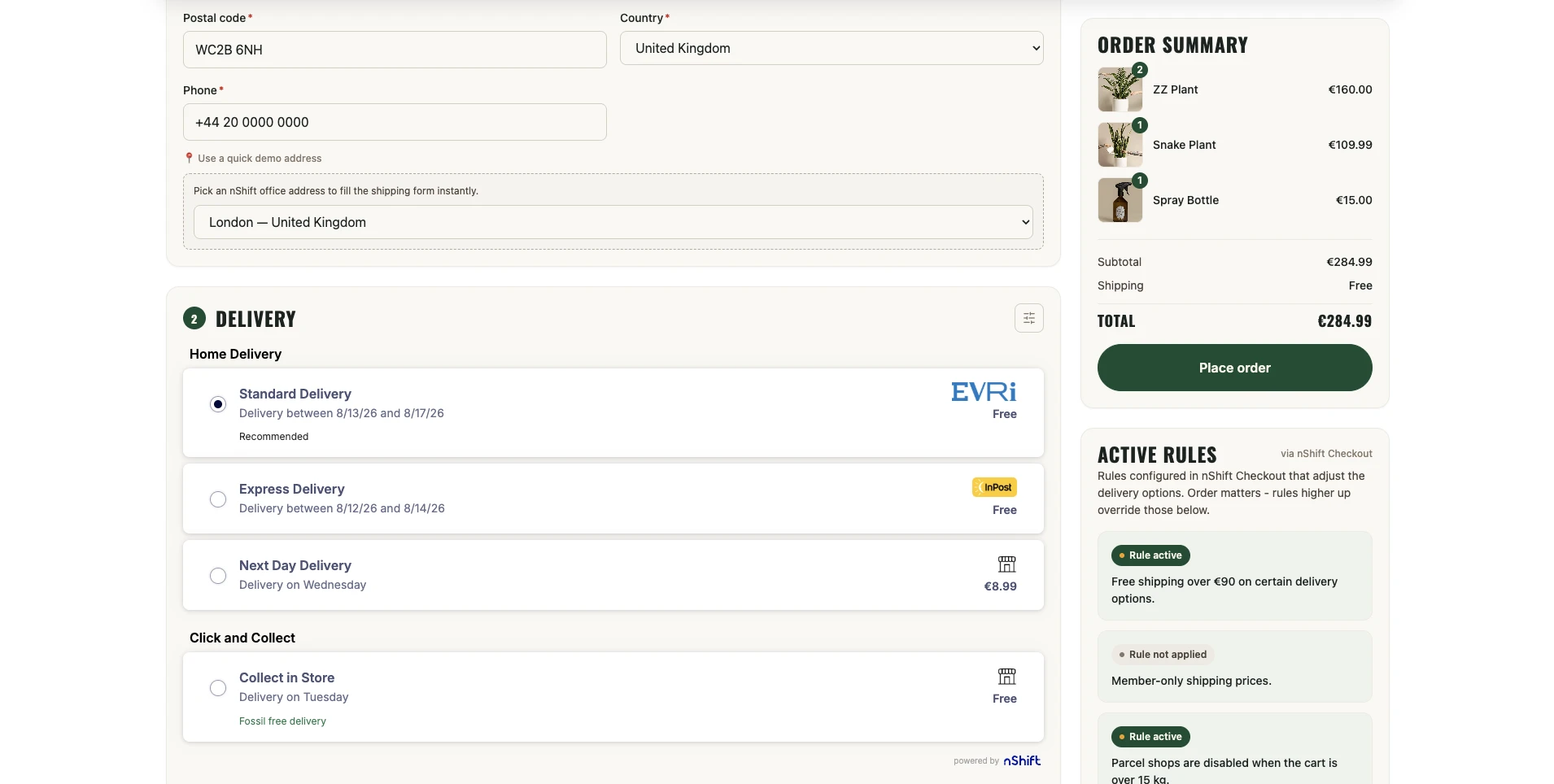
Delivery rules configured in nShift Checkout, surfaced in an “Active Rules” panel that shows whether each rule currently applies.
Free shipping over £90 / €90 / 1000 SEK, pickup shops disabled over 15 kg, and member perks — with a live indicator of which apply to this cart.
Cart-value rules — free shipping once the cart passes a threshold (£90 / €90 / 1000 SEK), with the discount applied to the delivery options automatically.
Weight rules — pickup shops are switched off once the cart’s total weight exceeds 15 kg, using the real per-product weights carried through checkout.
Membership rules — a “Become a Member” toggle forwards a member flag to nShift so membership-based delivery rules can be demoed.
The demo “Become a Member” toggle and the header banner it shows — the member flag is forwarded to nShift so membership delivery rules apply.
API Activity Logs
A collapsible panel at checkout for inspecting the exact requests and responses exchanged with nShift.
Every nShift API call recorded — path, request & response bodies, status and timing — so the real payloads can be inspected live. The OAuth token is never logged.
Loqate
Address Capture & Verification
Address capture and verification from Loqate, an nShift partner, wired into the checkout address form. Both run entirely server-side — the Loqate key never reaches the browser — and are optional: with no key configured, shoppers simply type their address by hand.
Provided by
Address Capture
Behind a toggle at the top of the Contact & shipping section, shoppers search for their address instead of typing every field. Suggestions are scoped to the selected country, and picking a result fills the address in one step — adding a placeholder phone number when the shopper hasn’t entered one so the delivery flow keeps moving.
A “Use Loqate Address Capture” toggle reveals a typeahead that finds the shopper’s address as they type — scoped to the selected country.
Address Verification
For addresses typed by hand, a “Run Loqate Address Verify” button runs the entered address through Loqate’s Cleanse service, reports how confidently it matched, and offers to apply the standardised, deliverable version back into the form — catching typos and malformed postcodes before the order is placed.
A “Run Loqate Address Verify” button cleanses the entered address and offers to apply the standardised, deliverable version.
nShift Ship
Shipping & Labels
After an order is placed, the dispatch page creates a real shipment and prints the carrier label(s).
Weigh, Label & Manifest
Parcel weights prefill from the ordered items’ real weights.
Weigh the parcel(s), generate the carrier label, then manifest to the courier — one label per parcel for split orders.
nShift Track
Tracking
Once a shipment exists, the dispatch page embeds live parcel tracking.
Parcel Tracking
The nShift Track widget is embedded directly on the dispatch page, alongside a link that opens the full nShift Track landing page for the parcel — a reliable fallback for when the embed can’t render inline.
The embedded nShift Track widget showing the parcel’s journey for a dispatched order, with a link out to the full nShift Track landing page.
nShift Returns
Returns
Self-service returns via the nShift Returns portal, shown standalone and deep-linked per order.
Returns Portal
A standalone returns page that embeds the nShift Returns widget for shoppers with no order context.
The “Return an Order” page (footer link) embeds the Returns widget; the market is chosen from the shopper’s currency.
Deep Link from the Label Page
Once an order is manifested, a return link is built from its nShift returns metafields (market and return id) and email, dropping the operator straight into the Returns portal for that order.
After a label is created, the dispatch page offers a deep link straight into the nShift Returns portal for that specific order.
Self-Service from My Account
On the customer’s Orders list and order-detail pages, a “Return this order” button opens the Returns portal for that order. It’s shown only when the order carries the nShift Returns market metafield, and the link is authorised by the logged-in customer session.
Customers can start a return from their own order history — the button appears only for orders set up for nShift Returns.
Behind the scenes
Demo Tooling
Features that support the products above and make the integration easy to present.
Multi-currency & locale — delivery options, returns markets and pricing across GBP / EUR / SEK, with real nShift office addresses as test data.
Quick demo addresses — a one-click helper on the checkout page fills the shipping form with a real nShift office address, for fast demo entry across markets.
A one-click helper on the checkout page that fills the shipping form with a real nShift office address.
Presenter conveniences — demo settings (a default email + address) that pre-fill the checkout.
The demo settings page — save a default email and shipping address to pre-fill the checkout for fast demos.